League Of Legends PBE Download: Your Exclusive Gateway to the Future of LoL
Ever fancied playing the next League of Legends champion months before everyone else? Want to test wild balance changes and earn exclusive rewards? The Public Beta Environment (PBE) is Riot Games' secret laboratory, and this guide is your all-access pass. We'll walk you through the entire League of Legends PBE download process, eligibility, and insider tips to maximise your play-testing experience.
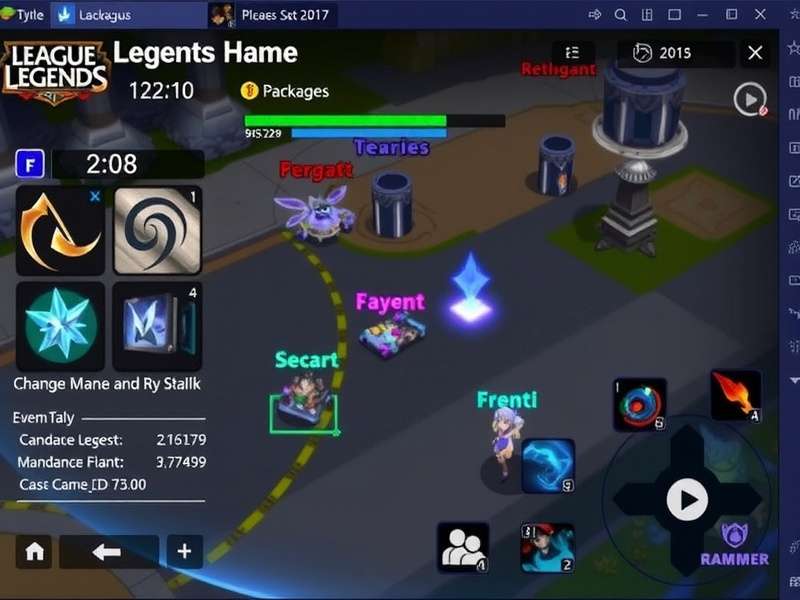
The PBE client offers a first look at upcoming skins, champions, and features. (Image: Riot Games)
What Exactly is the LoL PBE? 🤔
The Public Beta Environment is a separate League of Legends server where Riot tests upcoming features, champions, reworks, and balance adjustments before they hit the live servers. It's a sandbox for developers and a playground for dedicated players. Think of it as the "behind-the-scenes" tour of the Summoner's Rift evolution.
Why Download the PBE Client?
- Early Access: Play new champions like the upcoming Vastayan mage or the darkin assassin weeks or months in advance.
- Exclusive Content: Receive free RP (Riot Points) and BE (Blue Essence) to purchase upcoming skins and champions for testing.
- Influence the Game: Report bugs and give feedback that can shape the final live patch. Remember the Arcane-inspired changes? Many were tweaked based on PBE data.
- Meta Forecasting: Understand future meta shifts. Get a head start on mastering new items or reworked champions before your ranked opponents.
Eligibility & System Requirements
Not every account can access the PBE. Riot maintains strict criteria to ensure a stable testing environment.
Account Requirements
Your main live region account must be:
- In good standing (no current bans or restrictions).
- At least Honour level 3. This shows you're a positive member of the community.
- You must have a valid email verified on your account.
Hardware & Download Specs
The PBE client is similar in size to the main game. Ensure you have:
- Storage: At least 20 GB of free space (SSD recommended for faster load times).
- OS: Windows 10/11 64-bit, or a supported macOS version.
- Internet: A stable connection. The PBE server is often located in the US, so EU players may experience higher ping.
Step-by-Step: Download & Install the PBE Client
Step 1: Check Eligibility & Sign Up
Head to the official PBE Sign-Up Page. Log in with your main live account credentials. If you're eligible, you'll be prompted to create a unique PBE account username (often your live name with a suffix).
Step 2: Download the PBE Client Installer
Once your PBE account is created, you'll be directed to the download page. The League of Legends PBE download is a dedicated installer. Do not use your standard LoL client.
For a smooth League Of Legends Download Pc Free experience, ensure you download from the official Riot site only to avoid malware.
Step 3: Installation & First Launch
Run the installer. It will create a separate folder (usually "Riot Games\PBE"). The installation may take a while as it downloads the entire game client. Upon first launch, log in with your new PBE account credentials, not your main account.
Step 4: Patch & Play
The client will patch to the latest PBE version. Congratulations! You now have access to content that won't go live for weeks. Dive into the new champion, try the reworked item system, and don't forget to check your loot tab for your starting RP and BE.
Navigating the PBE Ecosystem
The PBE isn't just one server. It's a cycle. Major updates (like new champions) are tested in phases, and the server population is smaller, leading to unique queue dynamics.
PBE Cycles & What to Expect
Typically, a new patch hits the PBE on a Tuesday, two weeks before the live servers. The first few days are chaotic and exciting—everyone is trying the new stuff. Later in the cycle, focus shifts to balance tuning and bug fixes.
Related content: Curious about other Riot projects? Check out the strategic depth of Riot Games Rummy or anticipate the League Of Legends Card Game Riftbound Release Date.
Community & Feedback: Your Voice Matters
The PBE subreddit and official Discord are hubs of discussion. When you find a bug, use the in-game bug report tool and provide detailed context on the forums. Quality feedback like "The new champion's Q hitbox extends 50 units past the visual indicator on the north-east side" is far more valuable than "this is broken".
Want to see how community feedback shapes bigger projects? Look at the nuanced character development in the Arcane League Of Legends Cast.
Frequently Asked Questions (FAQ)
Can I play with friends on PBE?
Yes! You can party up, but ranked queues are often disabled or limited. It's perfect for testing new combos in normal drafts or ARAM.
My ping is high (150ms+). Is this normal?
For players outside North America, yes. The primary PBE server is in Chicago. EU players will have higher latency. It's a trade-off for early access.
Do I keep my skins and champions?
You start fresh but are given substantial RP/BE grants regularly. You can unlock almost any new content for free to test it.
When is the PBE server live?
It's typically up 24/7 but goes down for maintenance and patches. Follow @RiotSupport on Twitter for status updates.
For more on live server events, don't miss our preview of the League Of Legends Worlds 2025 Opening ceremony.
Final Thoughts: The Future of LoL is in Your Hands
The League of Legends PBE download is more than just a client; it's an invitation to collaborate with Riot Games. By testing, breaking, and providing feedback, you become part of the development process. Whether you're a seasoned veteran curious about the next meta shift or a lore enthusiast eager to explore new narrative hints (like those tied to Arcane League Of Legends Age Rating discussions), the PBE offers a unique, ever-evolving experience.
So, download the client, embrace the bugs, and enjoy the thrill of playing tomorrow's League today. The future of Summoner's Rift awaits.
Leave a Comment
Share your PBE experiences, tips, or ask questions!